

← Back

Crafting an Automation Platform for Mitsubishi Canada

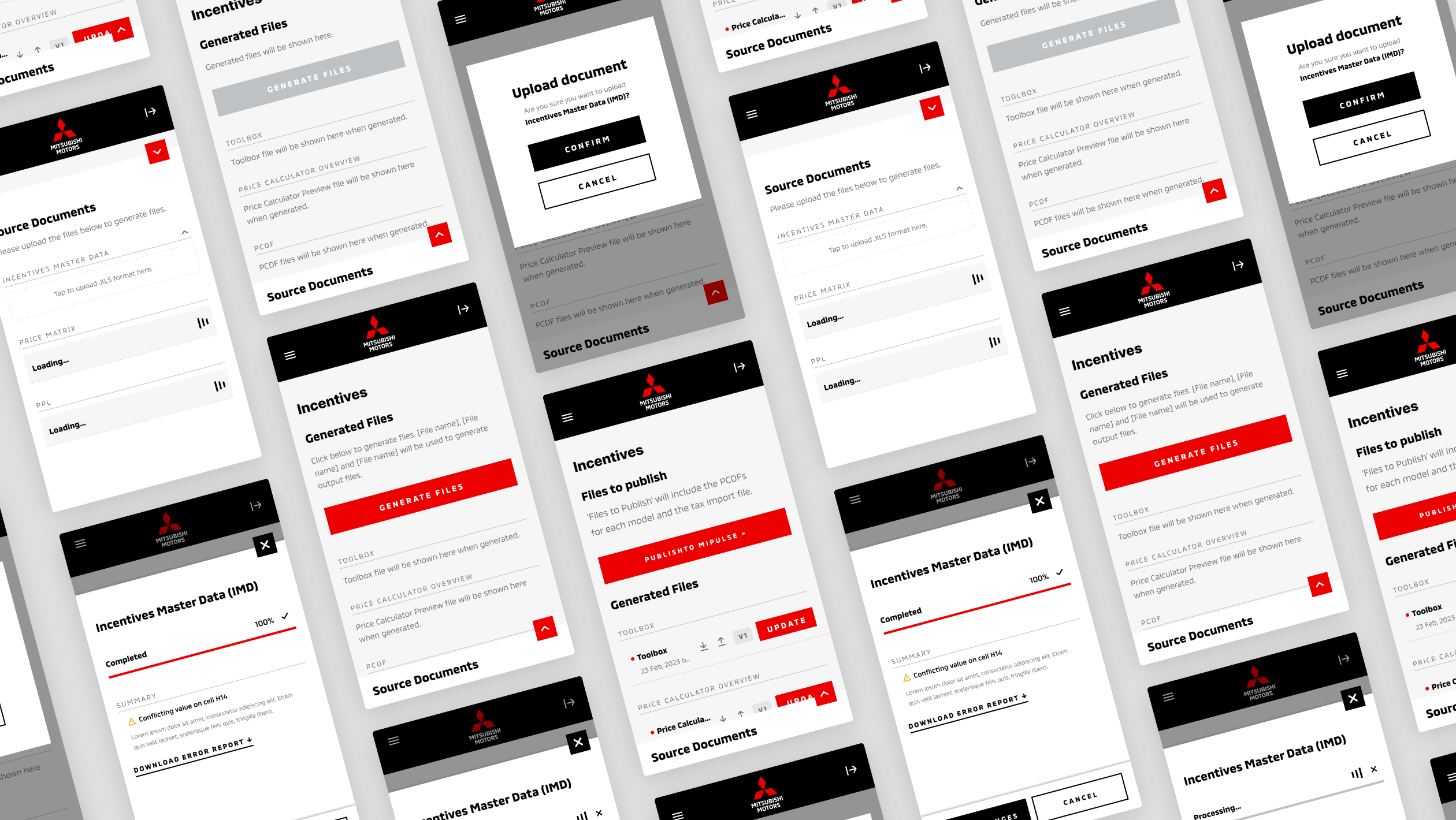
Designing a responsive internal automation platform to streamline vehicle lineup and pricing workflows for Mitsubishi Canada.
UX/UI Designer
February 2023
[01]

Summary

As part of the Critical Mass team, I led the UX design for Mitsubishi Canada’s internal automation platform, a tool used to manage vehicle lineup information and pricing across multiple user roles.

‍

The goal was to simplify a complex, data-heavy workflow by creating an intuitive interface that adapts seamlessly across desktop and mobile environments. My work focused on organizing information architecture, designing specialized components, and ensuring long-term usability through scalable system design.

[02]

Process

  • Analyzed incoming and outgoing data flows, defining how uploaded files, generated outputs, and user actions connected across the platform.

‍

  • Evaluated requirements for three unique user roles, mapping how permissions impacted what users would see and do in the interface.

‍

  • Designed responsive wireframes for desktop and mobile, structuring the platform into three core areas: Source Documents, Generated Files, and Files to Publish.

‍

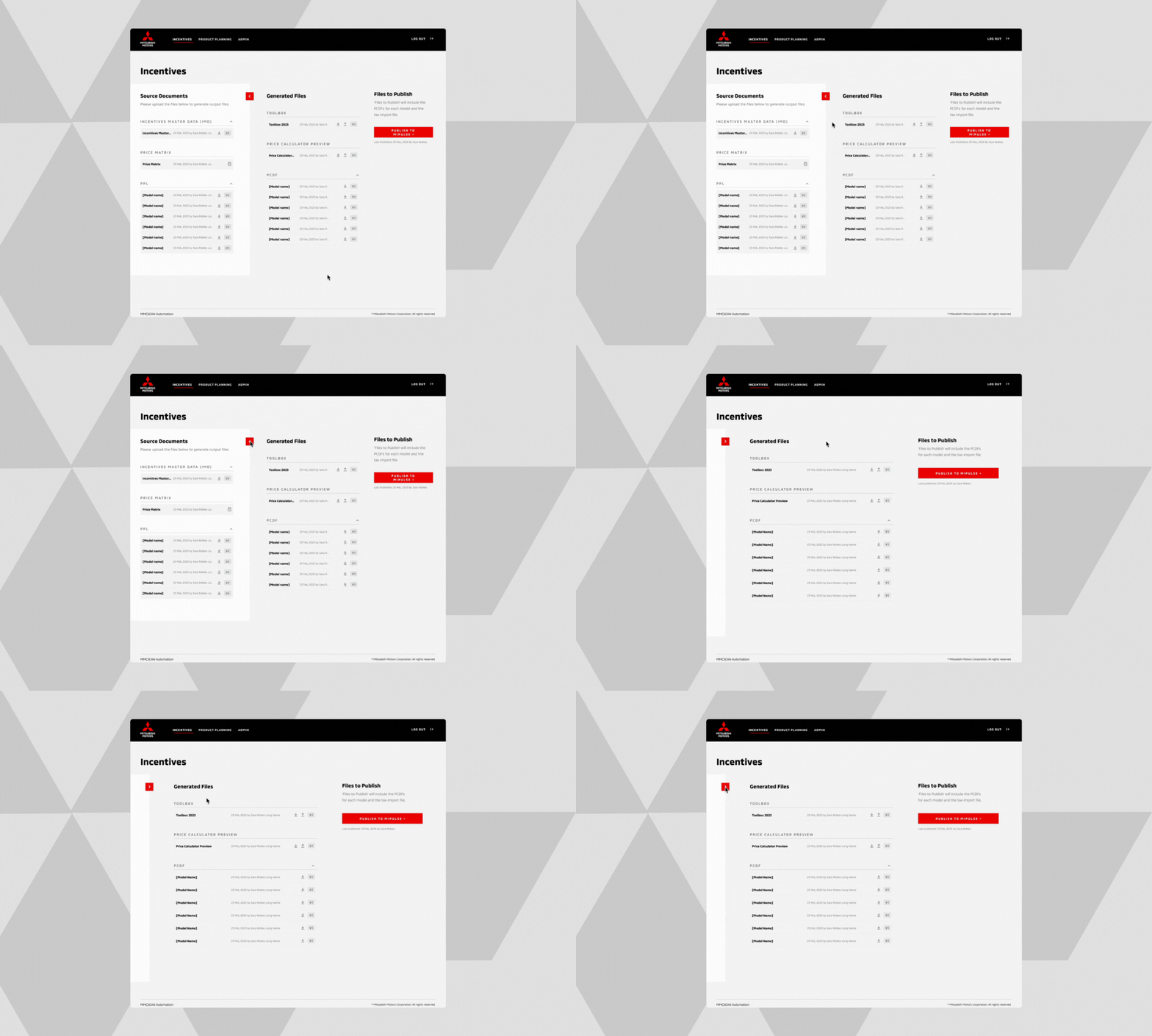
  • Introduced a drawer component to optimize mobile screen space, enabling users to hide rarely used sections while keeping critical actions accessible.

‍

  • Developed specialized file cards from scratch, with multiple states (empty, error, loading, update required) to distinguish between user-uploaded documents and system-generated files.

‍

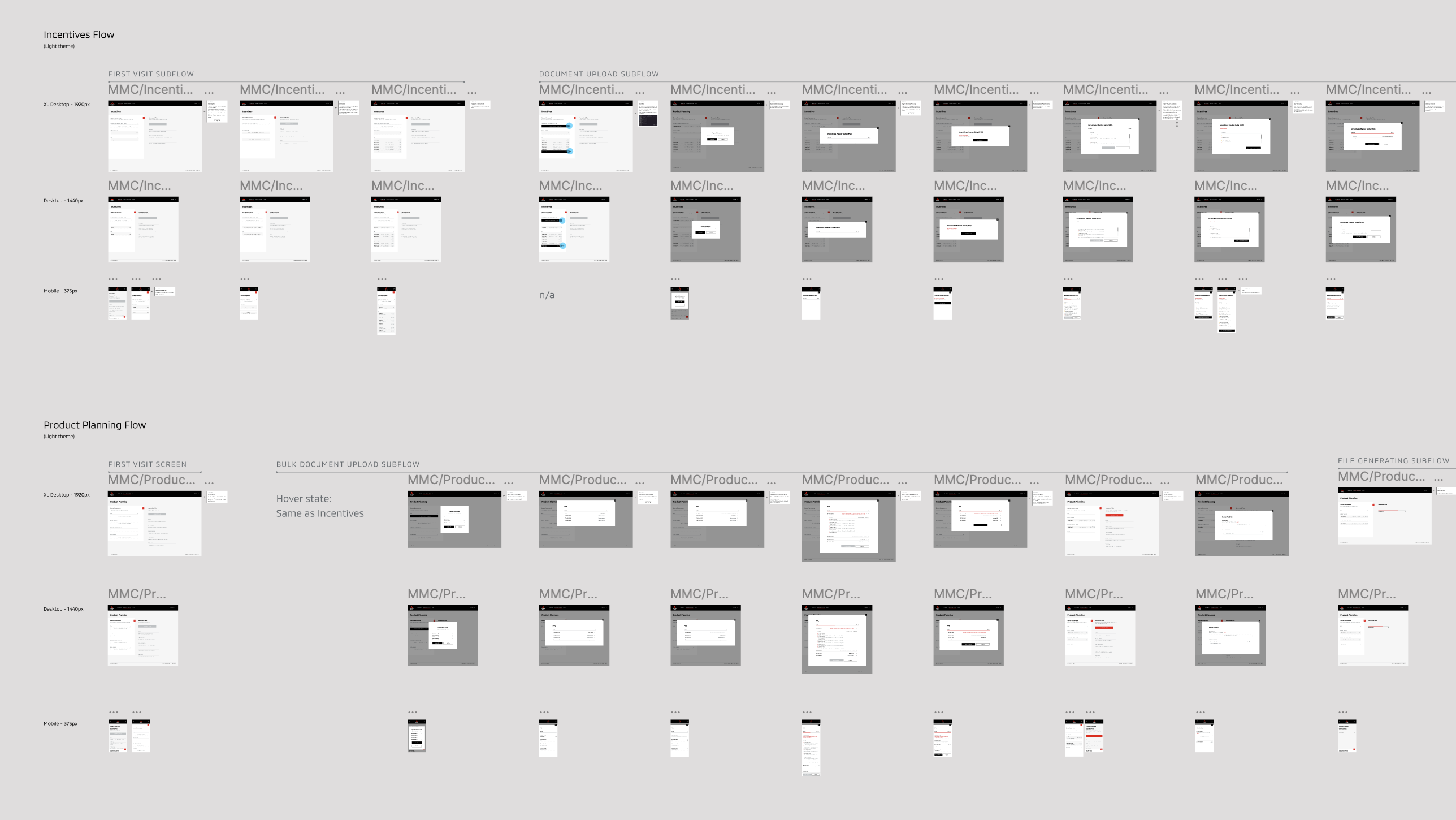
  • Created detailed user flows for each role, showing exactly how the UI would adapt depending on user permissions and actions.

‍

  • Implemented post-launch refinements based on user feedback, including bulk actions and workspaces by year to improve efficiency.
[03]

Solution

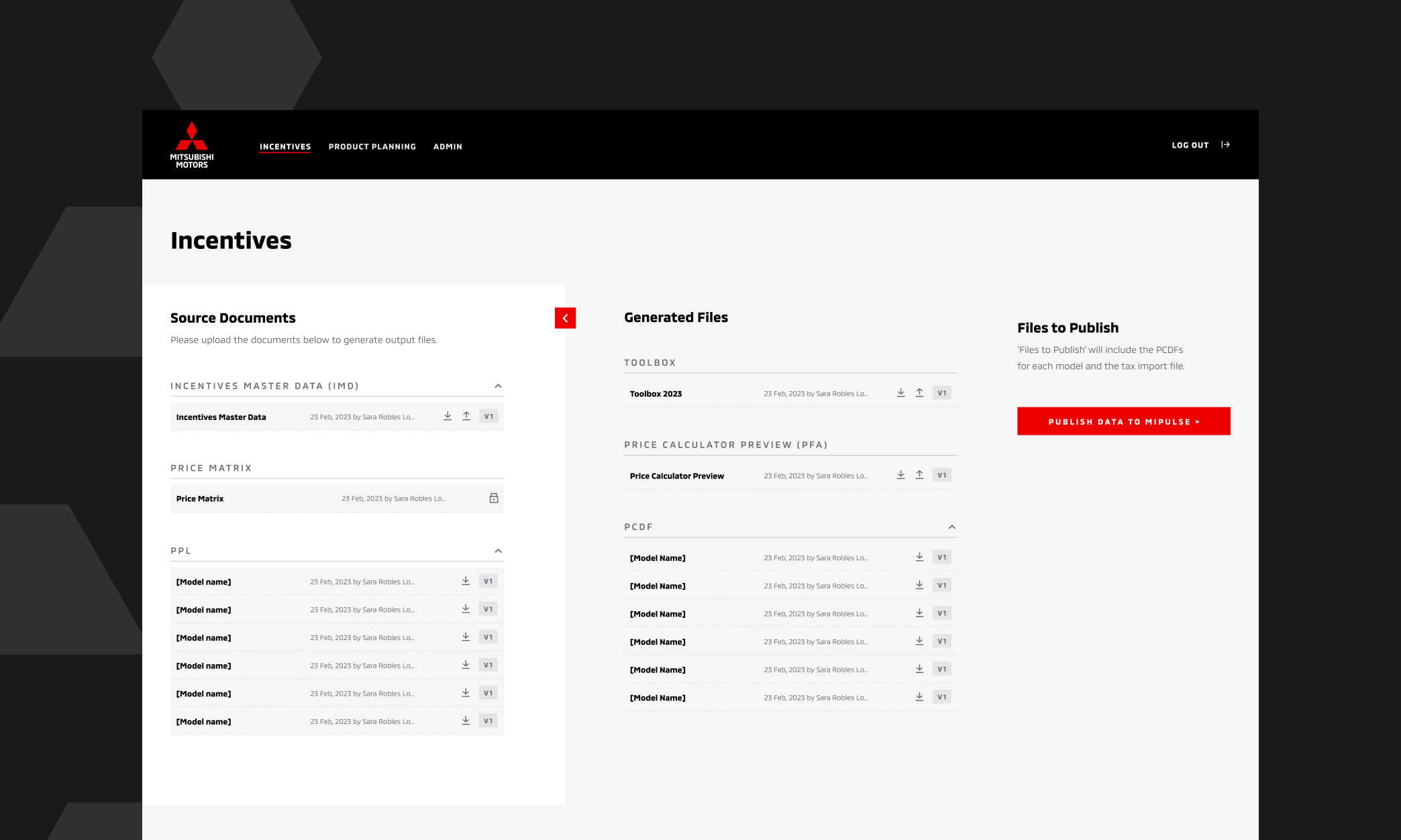
Streamlined Information Architecture

Organized the platform into clear stages of document flow, eliminating confusion and reducing cognitive load.
‍

  • Step 1: Upload source documents

‍

  • Step 2: Generate needed files

‍

  • Step 3: Publish to wider system

‍

‍

‍

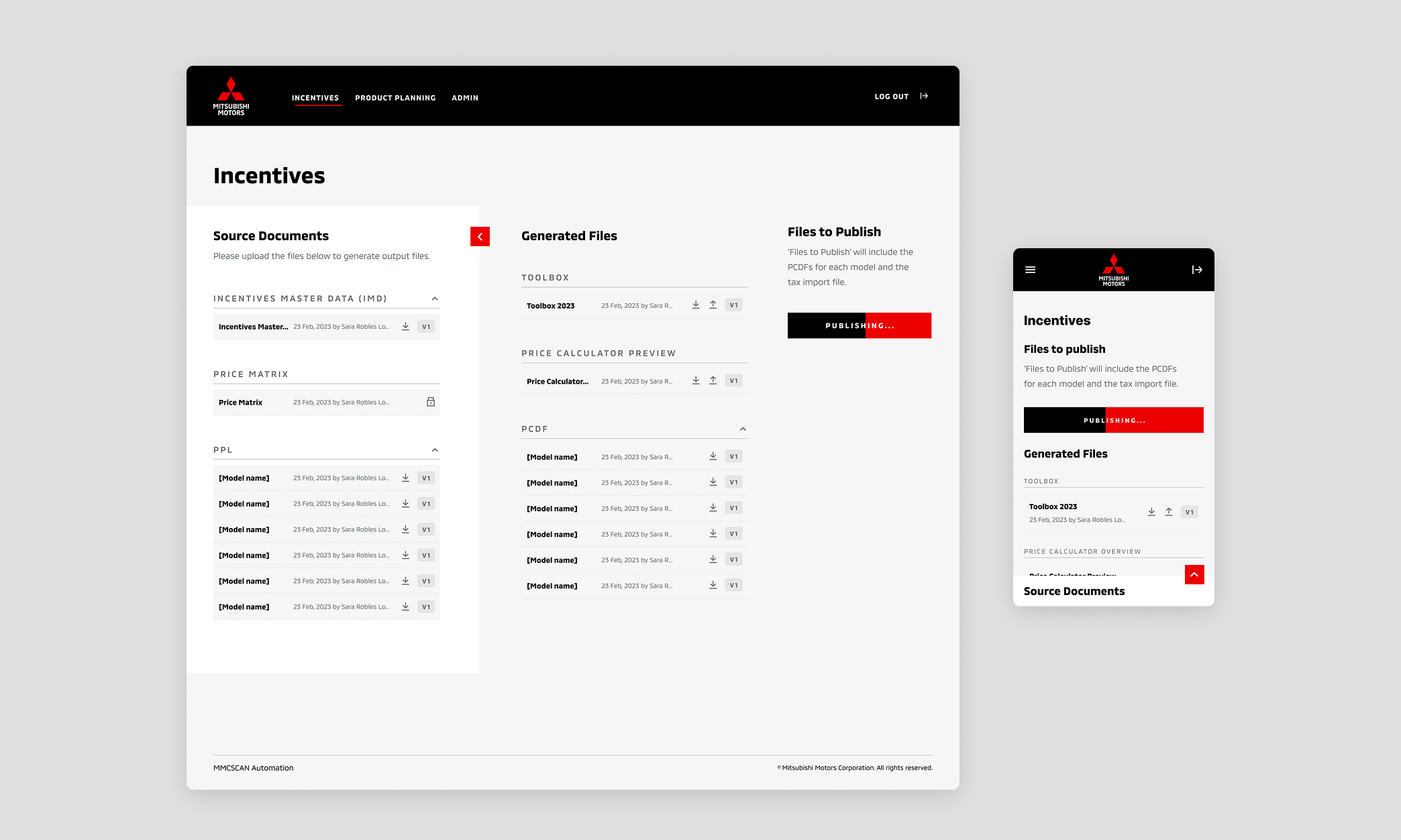
Responsive Layout for Multi-Device Usage

Designed layouts that scale from large desktop monitors to mobile screens, ensuring usability in both office and on-the-go environments.
‍

‍

‍

Drawer Component for Flexibility

Introduced a toggleable drawer to help users focus on active tasks while maintaining quick access to supporting actions.
‍

‍

‍

Scalable Developer Handoff

Delivered user-role-specific flows to developers, ensuring accurate implementation and reducing development friction.
‍

[04]

Impact

  • Improved efficiency for multi-role workflows, reducing manual steps and enabling greater operational scalability

‍

  • Successfully adopted across internal Mitsubishi teams and expanded with new features (bulk actions, yearly workspaces) based on user demand

‍

  • Continued enhancements and requests from the client indicate strong adoption and long-term value, contributing to an ongoing partnership between Mitsubishi Canada and Critical Mass
[05]

Learnings

Specialized Responsive UI Design

This project helped refine my ability to design complex internal tools that must scale across devices, user roles, and data states, balancing usability, system logic, and long-term maintainability.

Contact

Ready to turn ideas into a brilliant reality?